
Flashloop: AI Video Generator
Buy BeaverArt & Design
4.6553.00 Reviews
- Version
- 1.0.47
- Installs
- 500.00K
- Age Rating
- Everyone
Screenshots
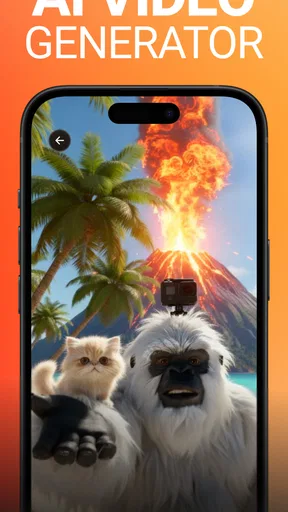
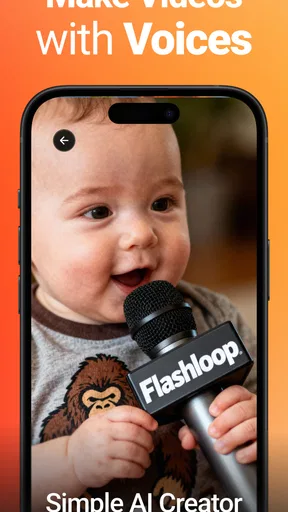
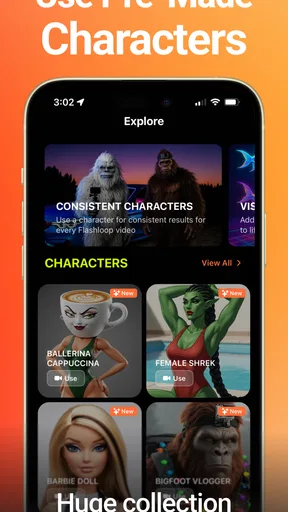
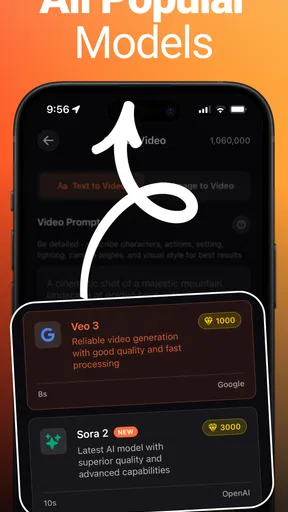
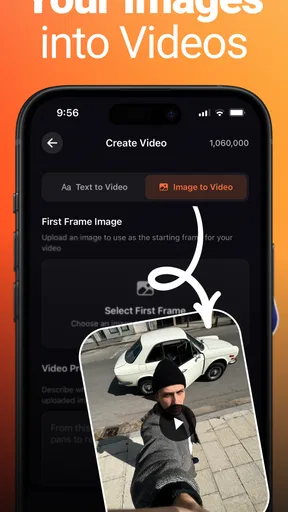
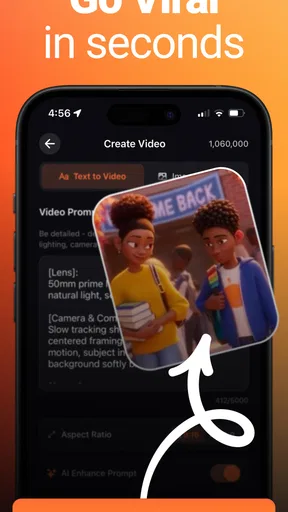
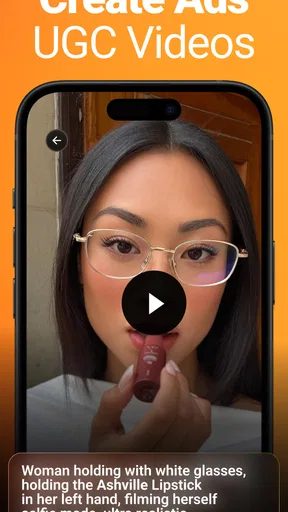
Our Review of Flashloop: AI Video Generator
 Analysis by Appyee
Before choosing an AI video maker, I’d ask one practical question: do I want to shape every cut myself, or get to a shareable draft with less effort? Flashloop: AI Video Generator is aimed at the second kind of workflow. It sits in the Art & Design category, where the useful result is not just an effect but a quick way to turn a handful of visual assets into a finished-looking video. I see its appeal less as a replacement for a full editor and more as a shortcut for people who would otherwise leave their clips sitting in the camera roll.
That distinction matters when you decide whether to install it. If your goal is a short social post, a simple personal montage, or a first pass at a promotional clip, an AI-led process can remove the blank-page problem: choosing a starting structure, arranging material, and getting a draft to react to. If you need exact timing, detailed sound mixing, or frame-by-frame control, a conventional timeline editor is likely a better fit. The trade-off is straightforward: Flashloop may save decision-making, while a manual editor gives you more decisions to make.
Choose it for momentum, not frame-by-frame control
I’d approach an AI-generated draft as a starting point rather than a final verdict on what the story should be. Before selecting material, I’d sort clips into a small group that already belongs together—one outing, one product, or one event. That simple preparation gives the app a clearer set of ingredients and makes it easier to judge whether its choices serve the point of the video. Mixing unrelated moments just because they are available can produce a result that feels scattered, even if the editing itself is neat.
A useful everyday example is sharing a weekend walk. I might choose a few clips of the route, a detail or two, and one closing shot, then let the app assemble a draft. Instead of polishing every transition, I can check whether the sequence communicates the feeling I wanted. If it does, I can move on; if not, I know the issue is probably the selection of material or the AI’s ordering, not a need to learn a complicated editing system. That makes the app especially handy when I want something presentable without turning a casual memory into a long editing session.
How it fits among video-making options
Compared with a basic collage or slideshow tool, Flashloop’s AI-centered approach is the main reason to consider it: it aims to do more of the assembling for you. Compared with a traditional mobile editor, that convenience comes with less control over the fine details. These are different priorities rather than a simple ranking. A person who enjoys trimming each shot and tuning a soundtrack may find a timeline more satisfying, while someone who wants to turn a few selected clips into a draft quickly may prefer the guided route.
I’d also separate “quick to create” from “ready for every purpose.” A draft can be useful for a personal post or an informal update without meeting the requirements of a polished campaign or carefully branded presentation. For business use, I’d treat the generated result as a starting point and review every sequence, caption, and visual choice before sharing it. The app’s promise of easier creation is valuable, but it doesn’t remove the creator’s responsibility to check whether the finished video is accurate, appropriate, and on-message.
There is a practical choice to make before moving an existing workflow into Flashloop: how much editing control are you willing to trade for speed? If you already have a familiar editor and a repeatable process, switching may add little unless you specifically want AI to help produce an initial cut. If you usually stop because editing feels like too much work, a guided generator can lower that barrier. I’d test it on a low-stakes project first, rather than making it the only tool in a workflow that depends on exact edits.
The First Impressions
The first thing I noticed about Flashloop: AI Video Generator is its sleek and user-friendly interface. From the moment you open the app, everything seems intuitive. There are no overwhelming menus or confusing options. Instead, you get a straightforward and seamless experience that feels like it’s holding your hand through the process.
Once you’re in, the app offers a quick tutorial to get you acquainted with its features. This is a nice touch, especially for beginners who might feel a bit lost at sea with new tech. The tutorial is concise, clear, and gives you just enough info to get started without bogging you down with too much detail.
Features That Stand Out
Now, onto the features. Flashloop is packed with AI-powered tools that really seem to know what they’re doing. The app allows you to create professional-quality videos in just a few taps. You can choose from a variety of templates and themes that cater to different styles and occasions, whether it’s a personal vlog, a travel diary, or a promo video for your business.
The AI technology in Flashloop is pretty impressive. It automatically edits your footage, picking out the best parts and stitching them together into a cohesive story. It’s like having a personal editor who knows exactly what you want. The app also offers a range of filters, effects, and music tracks to add some flair to your videos. You can adjust these elements to match your mood or the message you want to convey.
Creating Videos Like a Pro
Creating a video with Flashloop is as easy as 1-2-3. You start by selecting your video clips and photos. The app then does its magic, analyzing the content and coming up with a draft video in seconds. You get to preview the result and make any tweaks if needed. If you’re happy with it, you can go ahead and save or share it directly from the app.
The speed and efficiency of the app are remarkable. It saves you tons of time that you’d otherwise spend on manual editing. Plus, the quality of the output is surprisingly high. The videos look polished and professional, making it hard to believe they were created on a mobile device.
Room for Improvement
While Flashloop is undeniably a fantastic tool, it’s not without its quirks. The limited customization options might be a downside for those who want more control over their editing. Sometimes, the AI selections aren’t perfect, and you may need to tinker a bit to get it just right. However, for most casual users, the results are more than satisfactory.
Another thing to note is that some features are locked behind a subscription. While the free version offers plenty of functionality, you'll need to cough up a bit of cash if you want the full suite of options. This is pretty standard fare for apps these days, but it's something to keep in mind if you're on a budget.
Understanding the commitment before you switch
Flashloop is free to download, and I’d begin by trying its basic workflow before paying for anything. In-app purchases range from $4.99 to $199.99 per item, so the price range is broad enough that I would check the exact offer shown in the app and decide whether it matches how often I expect to use the tools. I wouldn’t assume that a paid option is necessary for a one-off video. For occasional use, the sensible test is whether the free experience handles the project I actually have; for repeated work, compare the cost with the time saved and the control you give up.
The developer is Buy Beaver, and the app has an average rating of 4.5 from around 23,000 ratings, with more than 100,000 installs. Those figures suggest a real audience, but they don’t tell me whether its editing style will suit my own material. It is rated for Everyone, runs on Android 7.0 or later, and version 1.0.34 is the current version. I’d still think about the kind of footage I plan to use and the degree of polish I need; broad accessibility does not mean every workflow will feel equally comfortable.
Small choices that improve the result
One non-obvious way to get a better first draft is to curate before importing. I’d remove near-identical shots and clips that start with a long pause, because a generator can only make a useful selection from what it is given. I’d also put the strongest visual moment near the beginning of my chosen material, not because I can guarantee the app will use it first, but because a focused set is easier to assess and revise. This is a low-effort step that can make the difference between a video that feels intentional and one that merely contains all the footage.
For a small business or a creator posting regularly, I’d treat templates as a way to maintain a recognizable mood, not as a substitute for checking each video. Reusing a similar visual direction can help a set of posts feel related, but the clips and message still need to change with the subject. I’d preview the entire result with the sound on and off: music can make a montage feel cohesive, while the visuals alone need to remain understandable if someone watches silently. That check is especially useful for videos meant to communicate a product detail or a clear sequence of events.
Another trade-off is that automated editing may favor a smooth, familiar rhythm over a deliberately unusual one. That is often fine for a memory recap, but less helpful when the timing itself carries the joke, reveal, or emotional beat. In those cases, I’d keep the generated version as a rough assembly and move to a more hands-on editor if the key moment lands too early or too late. Knowing when to stop adjusting inside a simplified tool is part of using it well; not every creative problem can be solved by asking the AI for another pass.
Who should give it a try
I think Flashloop is most appealing to beginners, casual creators, and busy people who want a finished-looking video without first learning a full editing timeline. It also makes sense for someone who has photos and short clips but no clear plan for arranging them. The guided process gives that person something concrete to review, which is often more helpful than staring at an empty project and trying to invent an edit from scratch.
I’d skip it as my primary tool if I routinely need precise shot lengths, layered audio, exact brand rules, or detailed control over every transition. A dedicated editor is a better choice when the work depends on those specifics. I’d also be cautious about relying on automated choices for important announcements or sensitive material: even a technically attractive video needs a human review for context, accuracy, and tone. Flashloop can reduce routine effort, but it cannot decide what should be emphasized on your behalf.
Conclusion
So, is Flashloop: AI Video Generator worth downloading? In my opinion, absolutely. It’s a game-changer for anyone looking to create engaging and professional videos without the hassle of learning complex editing software. The AI technology is a standout feature, making video creation accessible to everyone, whether you’re a newbie or a seasoned pro.
In a nutshell, Flashloop delivers on its promise to simplify the video creation process while offering enough tools and features to satisfy most users. It might not replace advanced editing software for hardcore video enthusiasts, but for everyday projects, it’s a brilliant solution. Give it a whirl and see for yourself!
My recommendation in practice
I’d download it if my usual alternative is doing nothing with a folder of clips, or if I regularly need simple videos and would welcome an automatic first cut. I’d start with a modest personal project, check the draft carefully, and only consider an in-app purchase once I know which paid option solves a real need. If I already enjoy editing manually or need exact control, I’d keep my current editor and use Flashloop only when speed matters more than fine adjustments.
That is the clearest way I can recommend it: as a convenient creative assistant, not a replacement for judgment or a full production setup. Its free starting point makes trying the basic approach approachable, while its limited customization means some projects will outgrow it quickly. For quick, personal video-making, I’d give it a fair test; for exacting work, I’d choose a tool built around direct control.
Verdict
Strengths of Flashloop: AI Video Generator
- User-friendly interface for quick edits.
- AI-driven features enhance creativity.
- Multiple templates for various themes.
- Fast rendering with minimal lag.
- Supports high-resolution video output.
Limitations of Flashloop: AI Video Generator
- Limited free features; requires subscription.
- Occasional crashes on older devices.
- Watermark on free version exports.
- In-app ads can disrupt workflow.
- Limited social media integration options.
Similar Picks in This Category
View All
Canva: AI Photo & Video Editor
Canva4.8

PENUP – Drawing-sharing SNS
Samsung Electronics Co., Ltd.4.5

Crafto
Kutumb App4.6

Sketchbook
Sketchbook4.1

ibis Paint X
ibis inc.4.5

Adobe Express: AI Photo, Video
Adobe4.6
Frequently Asked Questions
What is Flashloop: AI Video Generator, and how does it work?
Flashloop: AI Video Generator is an innovative app that allows users to create stunning video content using AI technology. It transforms static images and short clips into dynamic videos by applying advanced effects and transitions. The app leverages AI to automate video editing, making it accessible even for those without prior editing skills.
Is Flashloop: AI Video Generator free to use?
Flashloop offers both free and premium versions. The free version provides basic features and allows users to create videos with limited effects. For more advanced features, high-quality exports, and additional effects, users can opt for the premium subscription, which is available on a monthly or annual basis.
What platforms is Flashloop available on?
Flashloop is available for both Android and iOS devices. Users can download it from the Google Play Store for Android or the Apple App Store for iOS. It’s designed to work seamlessly on most modern smartphones and tablets, ensuring a smooth experience across devices.
Can I use Flashloop to edit existing videos?
Yes, Flashloop allows users to import existing videos for editing. You can enhance your videos by adding AI-generated effects, music, and transitions. The app supports various video formats, making it versatile for users who want to revamp their old video content with fresh and creative edits.
Does Flashloop require an internet connection to function?
While some features of Flashloop can be used offline, such as basic editing tools, an internet connection is required for accessing cloud-based AI features and downloading additional content packs. For the best experience and to access all features, it’s recommended to use the app with a stable internet connection.
